
The first time you sign in to Trumba® Connect, you see a calendar already created for your account. The calendar name appears in the Current Calendar list on the left and the current month is displayed on the right.
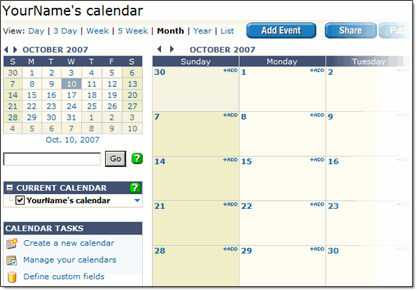
The name of the calendar reflects the name you used when you signed up for your account.
The calendar is ready for you to use as a starting point for setting up your event categories and adding your events.
What are event categories and how do I set them up?
Tip You can change the name of the calendar at any time. Click Calendar Settings above the calendar. For Calendar name, type the new name, and then click OK.
The Manage Calendars page provides important information about the calendars and subcalendars that you own, and calendars that other Trumba account holders have shared with you, all in one place.
You can also access calendar actions from the Manage Calendars page, like you can in the Trumba editing environment.
For more information, go to: Manage calendars.
