
When you add new or update existing events, you can display notification markers (also known as indicators, symbols, icons, or flags) on the events to alert calendar visitors that something has changed.
Tip The notification markers visitors see in the published views are the same markers account holders who share calendars see in the Trumba® editing environment. Learn more.
How your Trumba calendar updates appear to others depends on how they are viewing your calendar.
You can turn on notification markers on a view-by-view basis and you can hide markers for individual events.
If you choose to display the notification markers, they remain on the events for three days. The first time a calendar is published, all events have new markers.
Tip If you want to display notification markers but you don't like the idea of all events being marked as new, wait to turn on markers until after you publish.
Tell me more about sending email updates in between regularly scheduled messages.
For any calendar view that supports notification markers, you can set the markers to display when events are added or updated.
Tip Calendar views that DO NOT support notification markers include Detail List-Date, Detail List-Description, Labeled List-Date, Labeled List-Description, Linear Grid, List by Month, Map, News, and Photo Events.
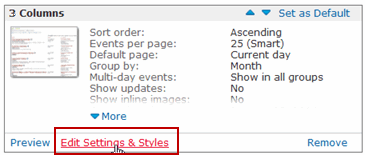
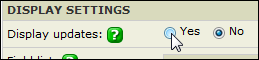
In the Display Settings section, for Display updates, select Yes.
Even if you generally want notification markers to display on your published calendars, you can turn off markers for individual events.
For example, if you just correct a misspelling, you might not want to draw attention to the corrected event with an icon. The correction itself still appears in the calendar.
If you updated the event's description, location, time, or notes, the corresponding check boxes are selected.

In the following table, you can see what the notification markers look like for each type of update you make.
If you prefer to replace the markers with your own custom icons, you can. Learn more.
| Marker | What it indicates |
|---|---|
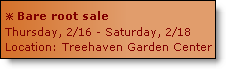 | An asterisk indicates a new event. |
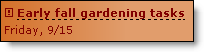 | An exclamation point and dashed underline indicate a change in the underlined description or date (with no change in the event time) field.
An exclamation point with nothing underlined generally means an event description change. |
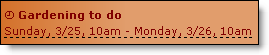 | A clock symbol with the date/time field underlined indicates a change in the event time (with or without a date change). |
