Compact List calendar view
What are calendar views?
Use when your goal is to
- Control which event fields display in the calendar, the order in which they appear, and, for some fields, the maximum number of characters.
- Control the number of events that display per page.
- Group events using standard or custom time blocks.
Tell more more about custom grouping.
- Subgroup events by start time, time block, location, or description.
- Display the calendar name with each event.
Tip This is particularly useful when you publish a calendar with other calendars mixed in and you want to identify the calendars to which events belong.
What are mixed-in calendars?
- Present event information in a compact format.
Don't use when your goal is to
- Label the event fields that display in the calendar (for example, Description, Time, Location).
- Present events in a traditional calendar view (such as a month or day view).
- Provide lots of detail with each event on the calendar.
Description Each event represents one line in a list of grouped (and possibly subgrouped) events.
Examples
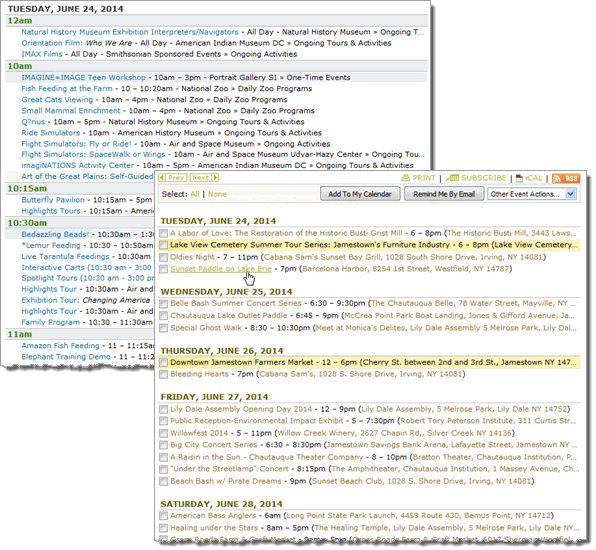
Settings to notice
| Top left calendar | Bottom right calendar |
|
|
|

