You're receiving calendar- and event-related email messages for one or more of the following reasons:
Use the Manage Your Email form to control the calendar- and event-related email messages you receive.
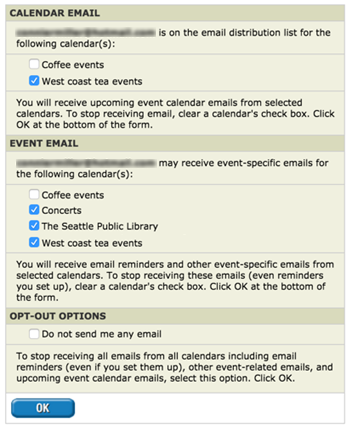
Manage Your Email form
For example, according to the settings shown in the Manage Your Email form above, the subscriber will continue to receive upcoming-event emails from the West coast tea events calendar. The subscriber will no longer receive upcoming-event emails from the Coffee events calendar.
NOTE Selecting this option means you'll stop receiving reminders, confirmations, and event update notifications that you set up for yourself.
For example, according to the settings shown in the Manage Your Email form above, the subscriber will continue to receive email reminders and other event-related emails from all of the calendars in the list except Coffee events.
NOTE Selecting this option means you'll stop receiving reminders, confirmations, and event update notifications that you set up for yourself.
Tip If you're a Trumba Connect account holder, even if you select Do not send me any email, you will continue to receive system email, such as password-reset or account-expiry notices.