As described elsewhere, you can control workflow and distribute the calendar maintenance workload by sharing calendars with other account holders.
By default, editors with whom you share cannot create new calendars in their accounts. This prevents them from adding events to calendars other than those you share with them. (If you want one or more editors to create calendars, let your Trumba Sales representative know during your account setup process or contact Support.)
Until you share at least one calendar with new editor accounts, the account holders who sign in see a message instead of the editing environment. Learn more.
For more information about how sharing works, see About sharing calendars.

If you don't see the Share button, you displayed a calendar that you didn't create.
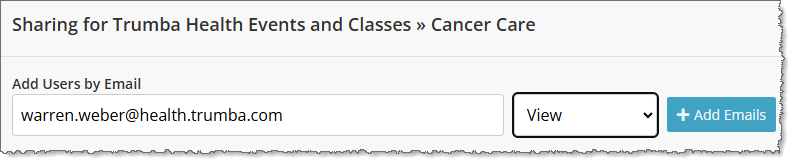
If you don't see the accounts you'd like to share the calendar with, type the email address(es) in the Add Users by Email field, select the sharing level from the drop-down list, and click + Add Emails.
Note If you're sharing with a group, all group members will have the same permission with the exception of editors.
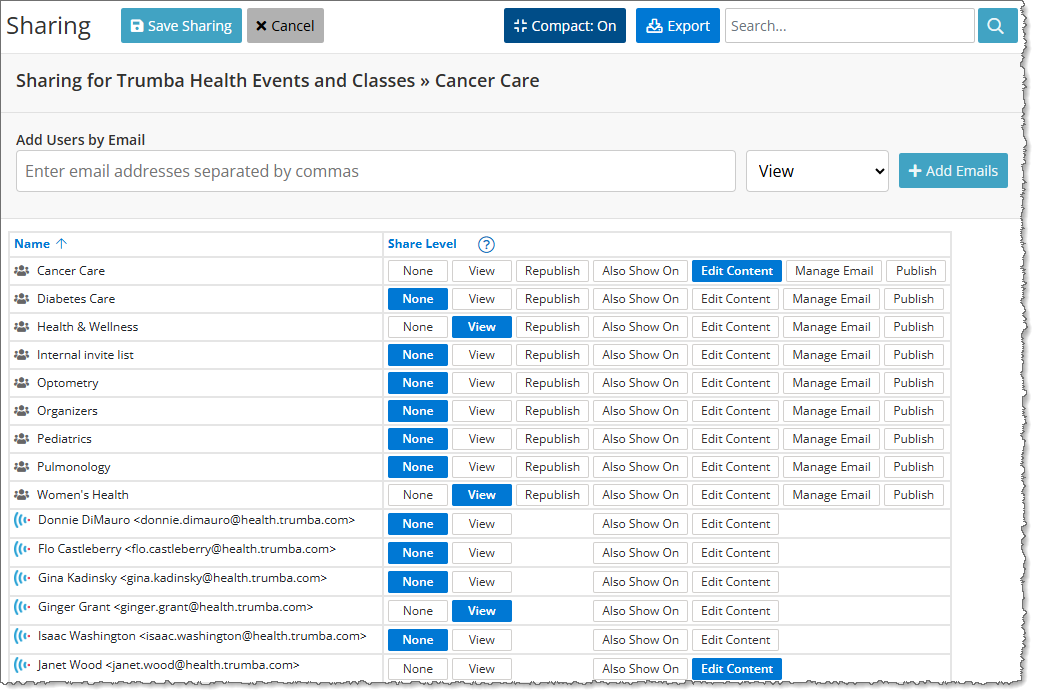
Note Editor accounts have fewer permission options than publisher accounts.
Please show me descriptions of the publisher and editor permission levels