Provide additional location information
If the the Google Maps™ mapping service can't verify the address or place name you typed, try the following tips.
Address tips
- Add as many other address elements as you can. For example, if you originally typed a street and city, add a zip code.
- Keep the address simple. Don't include apartment, suite, room, or post office box numbers.
- It's not necessary to type 9-digit zip codes. Five-digit zip codes work best.
- Make sure street, city, and state names are spelled correctly.
- Separate elements of the address by commas or type them on separate lines.
Place name tips
- Add as many address elements as you can. For example, if you originally typed just Shoreline Public Library, provide an address and zip code. If you typed a street and city, add a zip code.
- Make sure all parts of the place name are spelled correctly.
- If you provided location in addition to place information, separate elements of the address by commas or type them on separate lines.
If all else fails Look up the latitude and longitude for the address or place and click Enter Lat/Long to add the map link.
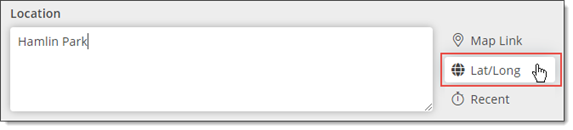
For more information, go to Use latitude and longitude coordinates to add map links.

