
In addition to URL parameters that fine-tune spud display or behavior, you can use properties. Properties can do things like:
| Property | What you set with it | Spuds/views that support it |
|---|---|---|
| teaserBase | Where to direct visitors when they click an event link in a spud
Example | Date finder, upcoming events, and crawler spuds |
| spudConfig | Naming for multiple configurations of the same spud
Example | All control spuds and promotion spuds |
| ignoreSavedSelections | Ignore any saved values in spud settings
Example | Main, view chooser, and timezone spuds |
| Property | Description and example |
|---|---|
| detailBase | This is a URL that points to a page that contains your main calendar spud, for the purpose of displaying event details on a different page or in a new window. When a visitor clicks an event link on the main spud, it jumps to the page defined by detailBase to display the event details. Example |
| openInNewWindow | Add openInNewWindow: true in conjunction with the detailBase property to open event details in a new window. When a visitor clicks an event link on the main spud, it jumps to new window displaying the page defined by detailBase to display the event details.Example |
| closeWindowOnReturn | When using the openInNewWindow property, the new window will close automatically when you navigate from the event detail view to the calendar view. Add closeWindowOnReturn: false in conjunction with the openInNewWindow property to force the new window to stay open.Example |
| detailScroll | When using the detailScroll property, the window will automatically scroll to the top of the event detail view. Add detailScroll: false, and the window will not automatically scroll to the top of the event detail view.Example |
| Property | Description and example |
|---|---|
| HideHeader | Add HideHeader: "true" to remove the header. |
| HideFooter | Add HideFooter: "true" to remove the footer. |
| HideBorder | Add HideBorder: "true" to remove the border. |
| BorderColor | HTML hexadecimal color value of spud border. |
| HeaderColor | HTML hex color value of spud header background. |
| teaserBase | See description under Properties supported by multiple spuds section. |
For CSS properties (all but Speed), you can specify any valid CSS value, including multiple values where allowed.
| Property | Description and example |
|---|---|
| Width | Specify an absolute or relative value to set the crawler width.
Width: "500px" or Width: "75%" |
| FontSize | FontSize: "1.2em" |
| FontFamily | FontFamily: "Georgia, Serif" |
| FontWeight | FontWeight: "normal" |
| FontColor | FontColor: "#800000" or FontColor: "maroon" |
| HoverColor | Sets the color of the linked text when a visitor hovers the mouse over the link. Use the same format as for FontColor property. |
| BackgroundColor | Sets the color of the crawler background. Use the same format as for FontColor property. |
| Border | Adds a border around the crawler. Set values for line weight, style, and color.
Border: "medium solid #0066ff" |
| Speed | The time in miliseconds that the crawler waits between scrolls. Setting a higher value slows down the crawler. Value must be an integer greater than or equal to 1.
Speed: "90" |
| teaserBase | See description under Properties supported by multiple spuds section. |
This section uses a fictional Trumba University calendar to illustrate how to use properties to do the following:
Tip For more examples, see the Examples section of the Customize spud code topic, and the Spud FAQ.
By default, the teaserBase property in promotion spud code directs visitors who click an event title to the calendar's hosted page on the Trumba website.
To redirect clicks so they open in a page on your own site, replace the default URL in the teaserBase property with the URL for the page where your main calendar is embedded.
In the following code, the default URL for the teaserBase property has been replaced by a website-specific one (from a fictional Trumba University calendar).
The main spud defined by this code has a detailBase property to show event details in another main spud that's embedded in a separate page. In this case, the page is from a fictional Trumba University calendar.
The main spud defined by this code uses the detailBase property along with the openInNewWindow property to show event details in new window for a spud that's embedded in a separate page. This particular example (from a fictional Trumba University calendar) opens the details on a calendar's Trumba Connect hosted page. (The detailBase property should be set to the URL of the page that holds a main calendar spud.)
Here's a crawler that takes advantage of all of the customization properties and adds a URL argument (from a fictional Trumba University calendar).
Use the SpudConfig property to publish the same control or promotion spud on multiple web pages with different settings or styles for a calendar. (Multiple configurations are not available for the main calendar view.)
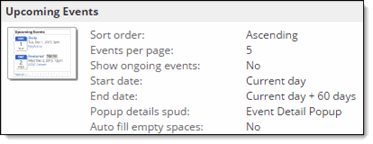
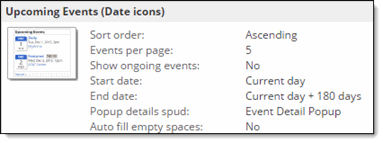
The spud configuration name in the script identifies which spud configuration is used. The spudConfig name is case insensitive and must be unique for a particular spud type (for example, upcoming events). The example (from a fictional Trumba University calendar) shows two configured upcoming events spuds that use different settings for different pages on a website; the first is the default and the second has a spud configuration name of "Date icons". Notice the difference in the spud settings and scripts.
Use the ignoreSavedSelections property to ignore any saved settings in main, view chooser, and timezone spuds.
Add detailScroll: false, and the window will not automatically scroll to the top of the event detail view.
