How to cancel and uncancel events
How to cancel and uncancel a single event
Before you cancel (or uncancel) an event, here's a brief description of what happens when you do.
- In the editing environment, click the title of the calendar that includes the event you want to cancel (or uncancel), and then click the event title to open the event edit form.
- To cancel an event, in the When area, select Cancelled.
To uncancel an event, deselect Cancelled.
- Click OK.
How to cancel and uncancel multiple events
Note For information about using a filter to hide cancelled events on your published calendar, see Setting up filters to hide or show cancelled events
- In the calendar list, click the title of the calendar that includes events that you want to cancel (or uncancel).
- Click List above the calendar to see the events in List view.
- In the list of events, select the check boxes next to the events that you want to cancel (or uncancel).
Tip To select all the displayed events, click ALL above the calendar.
- From the Select an action drop-down above the calendar, select Cancel events (or Uncancel events), and then click Go.
Tip In the List view, bulk actions apply only to the events currently displayed. The view is usually limited to 100 events per page. So, after applying a bulk action, you may need to cycle forward to display (and then apply bulk actions to) your future events.
What happens when you cancel (or uncancel) events
Cancelling an event does not remove or delete the event from any of the calendars where it appears.
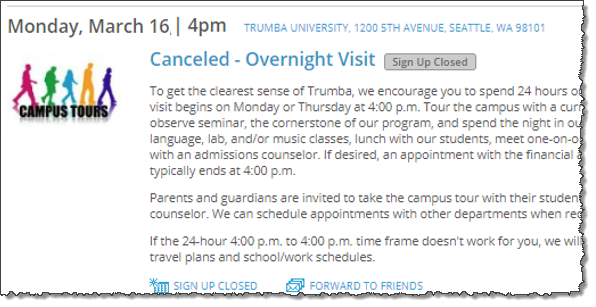
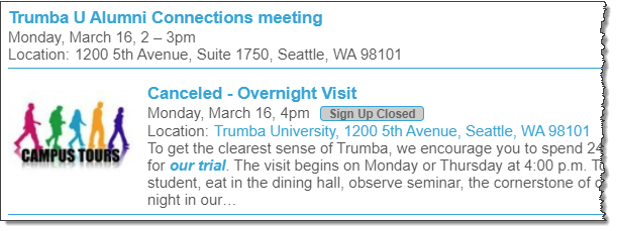
When you cancel an event, it is labeled as Cancelled. The label shows up in the editing environment, in live calendars, and in calendar emails. When you uncancel an event, the Cancelled label is removed.
Note When you edit the event, the title will not show the word Cancelled even though it is cancelled.
Registration events
- If you cancel (or uncancel) a registration event, the registration status doesn't change for the registered attendees. See Manage event registration responses.
- When cancelling (or uncancelling) a single registration event, people who registered for the event or who signed up to be notified of event changes receive email messages about the change.
- When cancelling (or uncancelling) multiple registration events, people who registered for the event do not automatically receive email messages about the change, unless they signed up to be notified of event changes.
I'd like more information about event actions and event registration.
Can I use a cancelled event's registration list to keep track of people who want to know if I offer the event in the future?
Editing environment
Published calendars
Calendar email messages