Tuesday, April 7, 2026
Registration Questions report
11AM
Publishers now have access to the new Registration Questions report. This report lists all registration questions owned by or shared with the publisher. The report can be found from the Reports page, under Registration. The report lists the questions and information about each, including owning calendar and the registration forms on which the question appears. 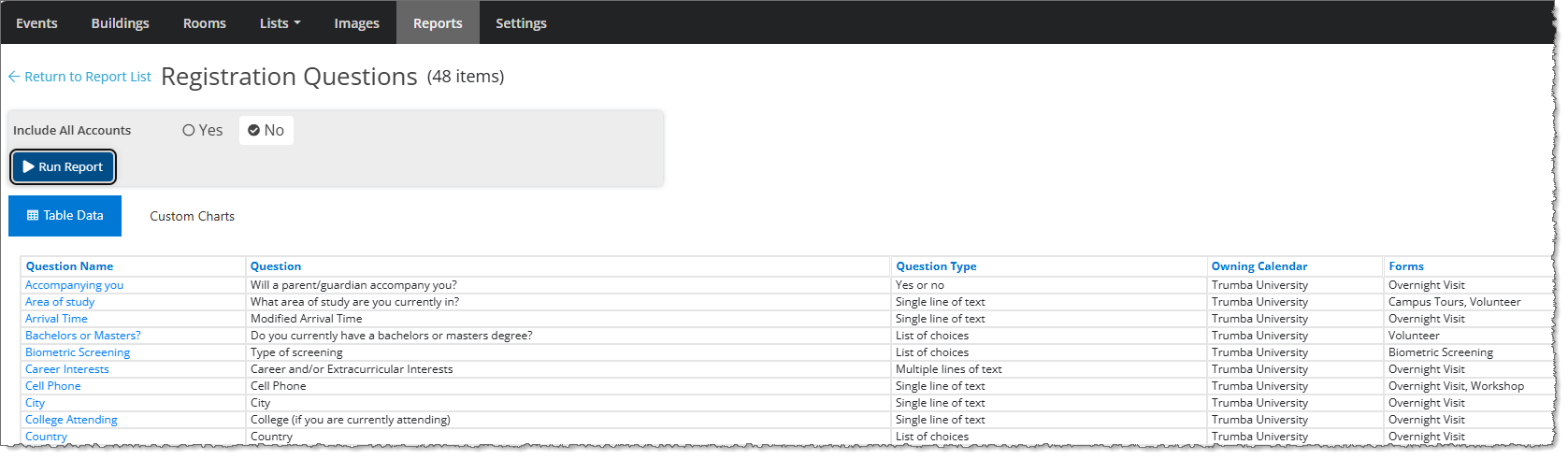
By clicking on the question name, you can easily access the Edit Registration Question page.
|
Inactivity Timeouts
11AM
You can now set inactivity timeouts for your users (and organizers). Customer administrators can Enable Inactivity Timeout on the Customer Information page, in the Security Settings section. After selecting Yes, you can specify the inactivity time after which users will be signed out. 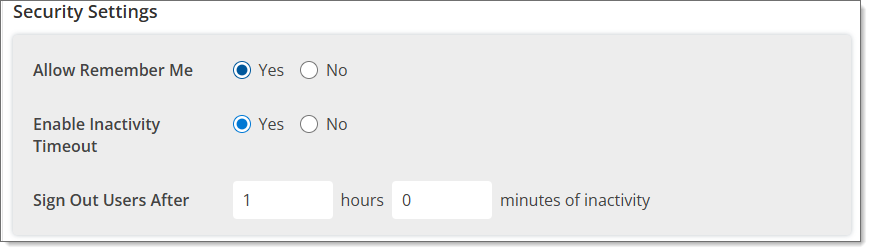
Users will receive a notification 5 minutes prior to the inactivity timeout upon which they can choose to stay signed in and continue working without interruption. 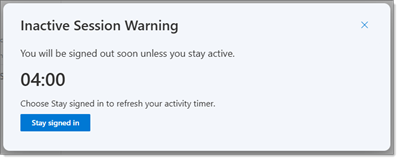
If the users are signed out due to inactivity, they will be able to re-sign in and continue working.
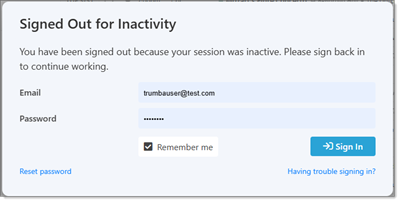
For more information, see Inactivity timeouts.
|
Tuesday, March 31, 2026
CSV calendar exports by date range
5PM
CSV calendar exports can now be done using custom date ranges, in addition to exporting all events owned by a calendar. To export a subset of events owned by the selected calendar, select Exports from the Tasks menu. On the Exports page, enter a custom date range or select one of the preset date ranges. To export all events owned by the selected calendar, check the Export all events owned by this calendar (no date range) box. 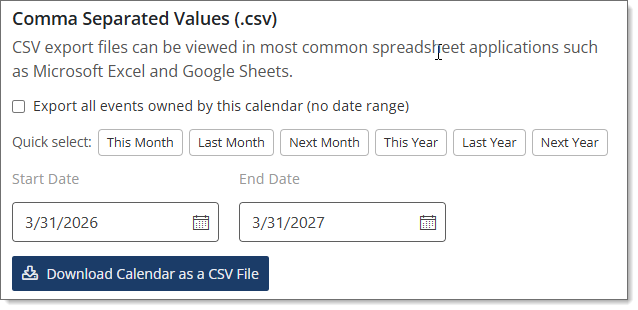
After selecting the criteria, click Download Calendar as a CSV File.
|
Friday, February 27, 2026
Enhanced Session Security
3PM
To strengthen the security of your Trumba account, we enabled a new session management system on February 26th. This update brings important improvements to how sign‑in sessions are created and maintained. What’s Changed - Session expiration is strictly enforced.
After a session expires, you will be required to sign in again. - Previously, sessions remained active as long as the session cookie persisted. With the new system, this is no longer be the case.
- The “Remember Me” option is more important now.
Selecting this option is now the only way to maintain longer‑term access without having to sign in as frequently. What to Expect - You may be signed out more often than before—this is expected and part of the improved security model.
- If you prefer a longer-lasting sign‑in state, please be sure to check “Remember Me” during login.
- You will receive a Session Expiring notification 5 minutes before the session is due to expire. You can click Sign In and continue working.
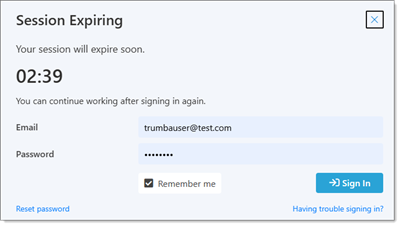 - If the session expires, no action is needed beyond signing in again when prompted.
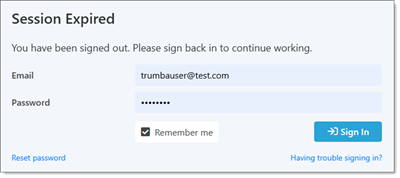 These changes help ensure that your Trumba account and data remain protected by reducing exposure from stale or long‑lived sessions. If you have any questions about how sessions work, please review the session documentation contact support@corp.trumba.com.
|
Wednesday, November 19, 2025
New Administration Features
4PM
Trumba account administrators can now take advantage of the new administration features through the new Settings menu (located in the top menu bar, next to Reports). We have consolidated many admin settings and have added new pages to manage user groups, calendar sharing, and editor accounts and permissions more easily. Get started at Administration settings menu. 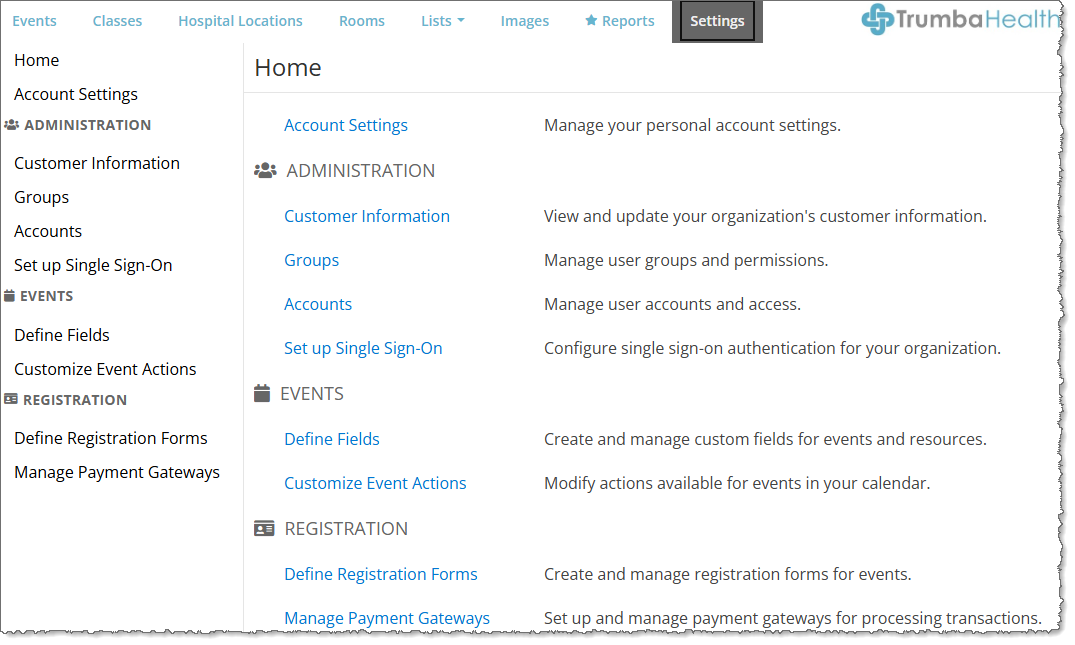
|
Wednesday, October 8, 2025
Reports and Charts
New Reports – There are two new reports available which allow you to view historical calendar activity statistics (Published Calendar Activity) and historical event performance metrics (Published Event Activity). In addition, the new View Published Activity report is available from the Event Edit Form and shows event activity details.
Charts - You can view report data graphically using the new charting functionality. For many reports, there are pre-defined charts available. In addition, you can create custom charts.
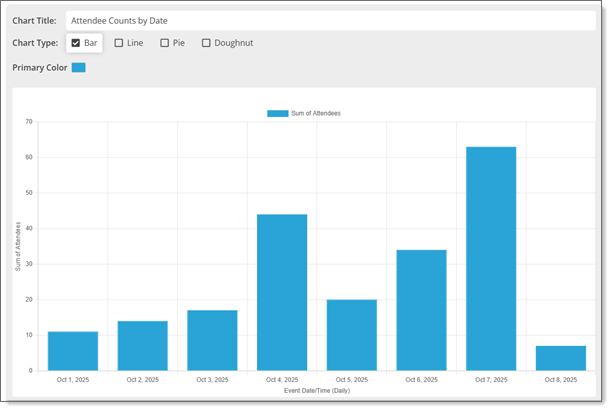
For more information, see Reports and Charts. |
Friday, August 15, 2025
New Event Submission Form
12PM
We've just launched a new version of the Event Submission Form. Improvements include: - Modern Design – New updated form provides an improved user experience.
- More Mobile Responsive – Field labels automatically resize on narrow displays.
- Easier Preview Access – Preview the form from the Settings and Styles tabs.
- Improved styling – The form now inherits a calendar’s published setting base styles.
For a detailed list of Trumba's Event Submission Form features, click here.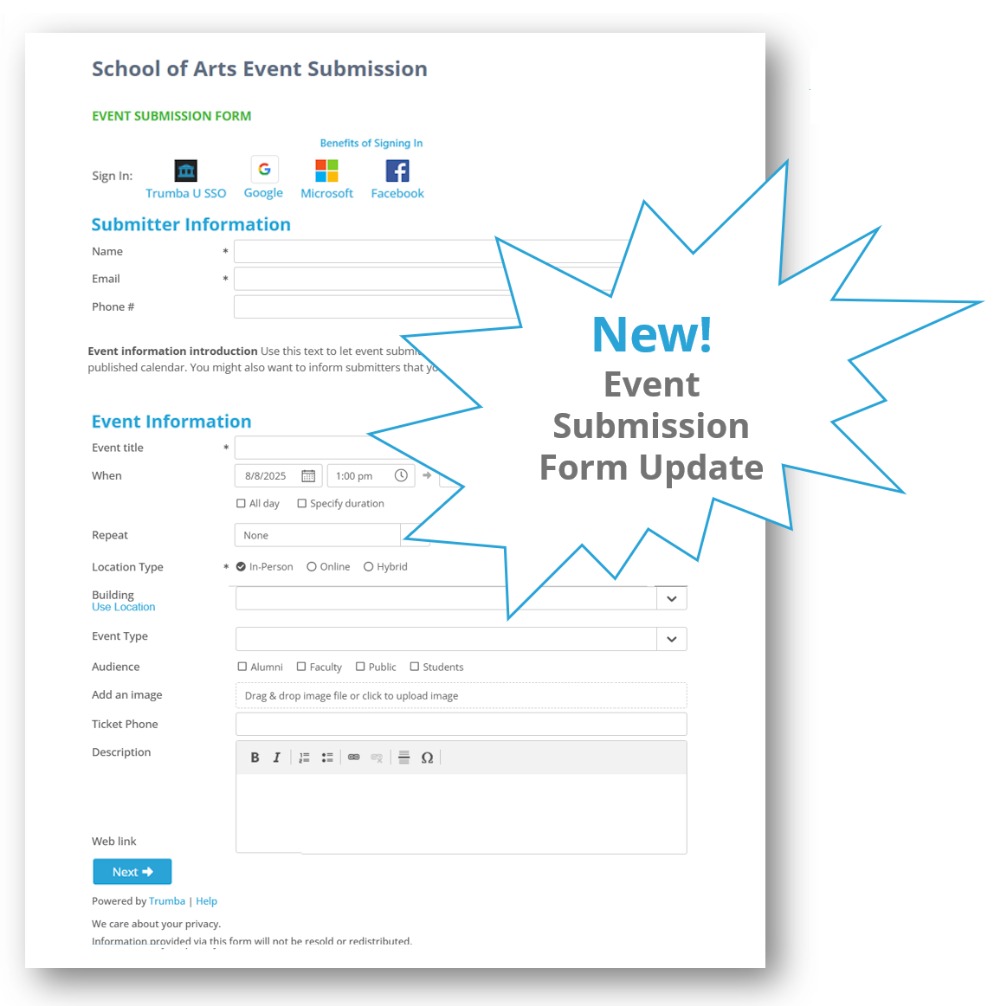
|
Thursday, August 14, 2025
New Date and Time Format Settings
11AM
There are two new date and time format settings available for use within the Trumba editing environment: - Account Level
- Calendar Level

The Account Level setting is used for reports showing data from more than one calendar.The Calendar Level setting is used: - As the date and time format for event entry
- On calendar views, such as List, Month, etc.
- On the Event Submission Form
- For reports showing data from one calendar
The Default option is based on the time zone selected for the account/calendar and will change if the time zone changes. The other two options will not change if the time zone is changed.For more information, see Set Date and Time Formats.
|
Wednesday, April 30, 2025
Session Activity and Event Edit Activity available to customer administrators
2PM
Customer administrators can now view detailed session and event edit activity. The Session Activity and Event Edit Activity reports show the types of activity and changes to events, but not the specific field values. The Session Activity report is available via the User Sessions report (accessed from the Reports menu for all user sessions or the Account Settings page for individual user sessions). Click on a Session ID to view the session activity for that particular session. 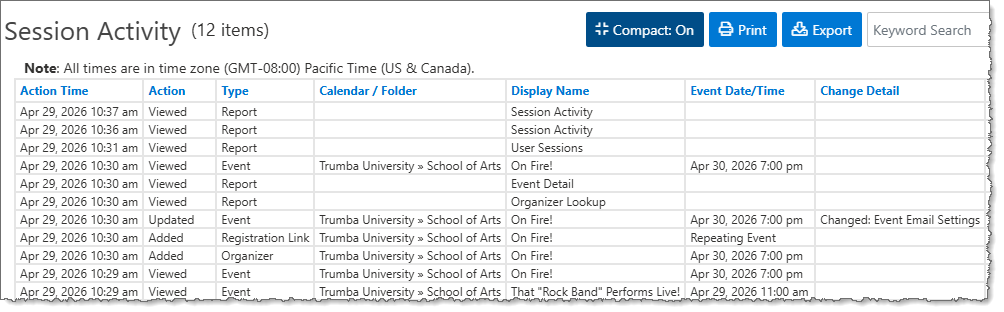
For more information, see Session activity.
The Event Edit Activity report is available on the Event Edit Details tab for an event. Click the View event audit log link to see changes that have been made to the event.
 For more information, see Event edit details. |
Thursday, March 13, 2025
Registration View now shows registration counts
11AM
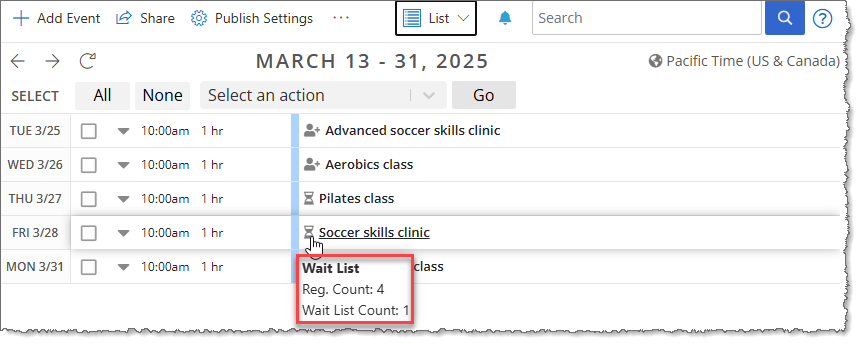
The Registration View now contains three new fields: Registration Count (Reg. Count), Wait List Count, and Wait List Invited Count. The Reg. Count field is always displayed and the Wait List counts are displayed when applicable. In addition, you can now see Registration Count and Wait List Count (when applicable) when you hover over the registration indicator icon. 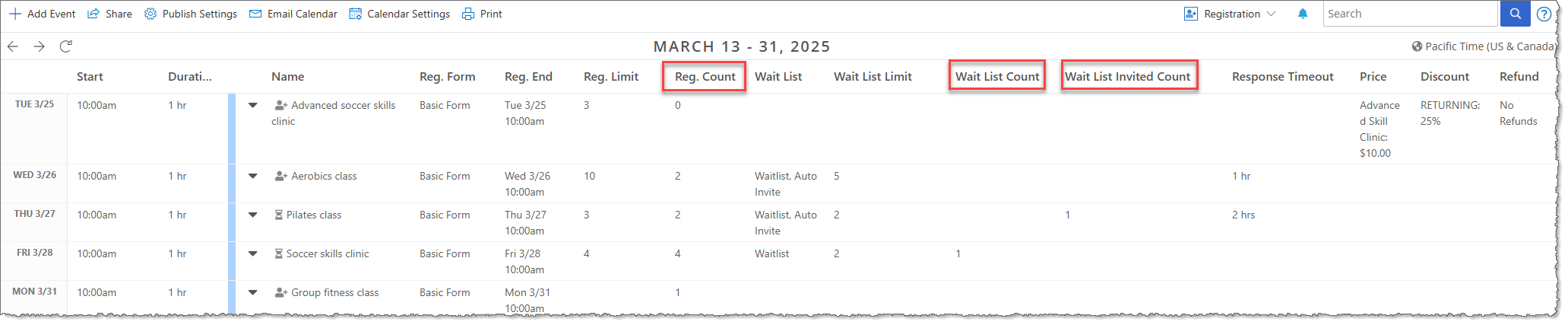
|
Wednesday, February 19, 2025
Add a description to images to improve accessibility.
10AM
The new Alt Text (Alternative text) field on the add and update image windows allows you to provide a brief description of an image to improve accessibility. See Image Table Overview for more information. 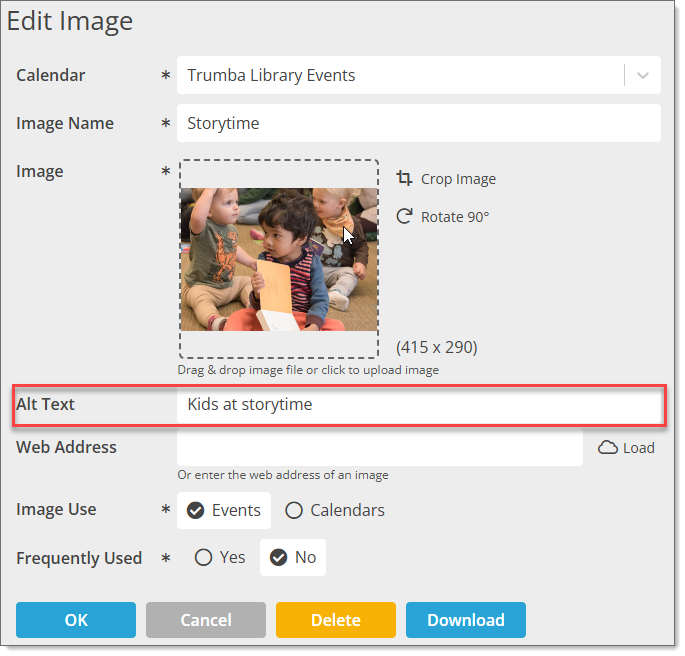 |
Wednesday, January 22, 2025
Check out our new feature: Discount Codes!
4PM
Discount codes are available for paid events with registration to allow attendees to pay different amounts for an event. Discount codes can be setup with either a dollar amount or percentage. For more information, visit Trumba Help Discount codes can be added on the Registration tab for paid events. 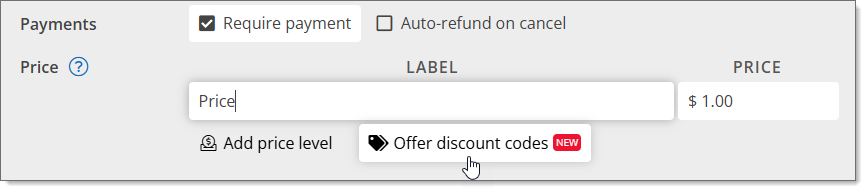

|
Tuesday, April 16, 2024
Check out our newly launched demo site - Trumba Health
Welcome to Trumba Health! This demo site represents a Trumba-hosted calendar and its sub-calendars, driven by Trumba’s interactive editing environment. It's a great place to view and try out all of our calendar widgets like Featured Events Slider and Digital Signage. You'll see why Healthcare relies on Trumba for more effective calendar publishing and event registration. Visit Trumba Health  |
Thursday, March 28, 2024
Schedule Post Event Emails
SEATTLE—11AM
You can now schedule an automatic email with a custom message to be sent to registered attendees after your event is over. This is a great way thank registrants for attending and to gather feedback for your events. The new selection is on the Event Edit Form Registration tab below the Scheduled Reminder controls. 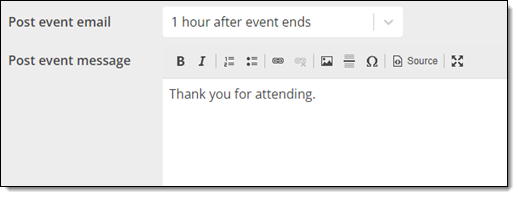
|
Thursday, November 9, 2023
Faster Loading Images
SEATTLE—11AM
Images are now resized to the appropriate size before being downloaded to the browser so thumbnail and other smaller images will load faster and require less connection bandwidth. This process is automatic and should not require any adjustments to how you manage images. |
Tuesday, October 24, 2023
Updated Reporting Section
SEATTLE—8AM
We've added a new report named Calendar Web Pages. This report displays the current calendar address and suggests fields to update. The report has an option to quickly set the suggested calendar address on the published calendar.

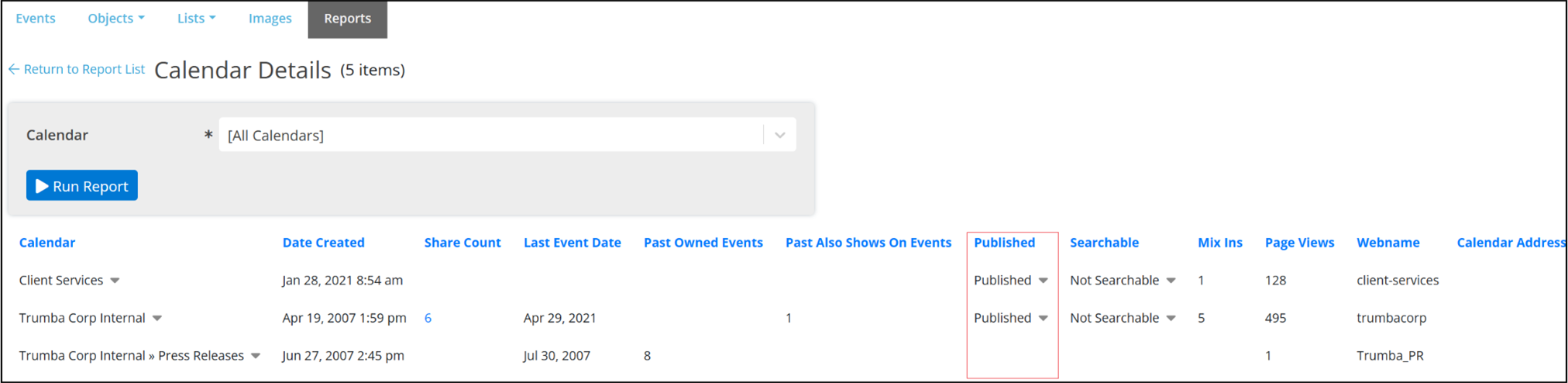
We've also updated the Calendar Details report to add a "Searchable" field to see which calendars are set to searchable. The report has an option to quickly turn on and off searchable on a calendar. New reports will be added here over time based on customer needs.
|
Tuesday, September 26, 2023
K-12 Education Case Study—Pine Crest School
SEATTLE—8AM
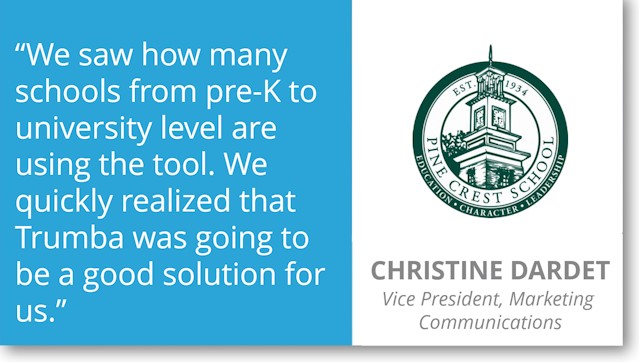
Learn how Pine Crest School streamlined online registration and event calendar management to improve parent and stakeholder communications. Download the Case Study.
 |
Thursday, August 17, 2023
New Reporting Section
SEATTLE—8AM
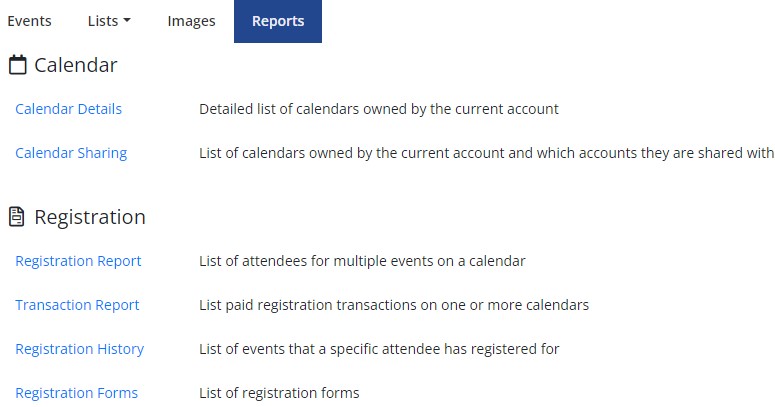
We've added a new Reports tab next to the Images tab in the Trumba editing environment. The new section includes updated versions of the Registration and Transaction reports and new reports for viewing calendar details, sharing and registration forms. Reports also support new popup detail reports to quickly drill into more details. New reports will be added here over time based on customer needs.
 |
Monday, April 10, 2023
Higher Education Case Study—Vincennes University
SEATTLE—8AM
Learn how Trumba helped Vincennes University overhaul its siloed event calendar and room reservation system, resulting in consistent branding across departments and an increase in student engagement.
Download the Case Study.
Watch the Case Study in video format.
 |
Friday, January 27, 2023
Check out the newly revamped Trumba University site!
SEATTLE—12PM
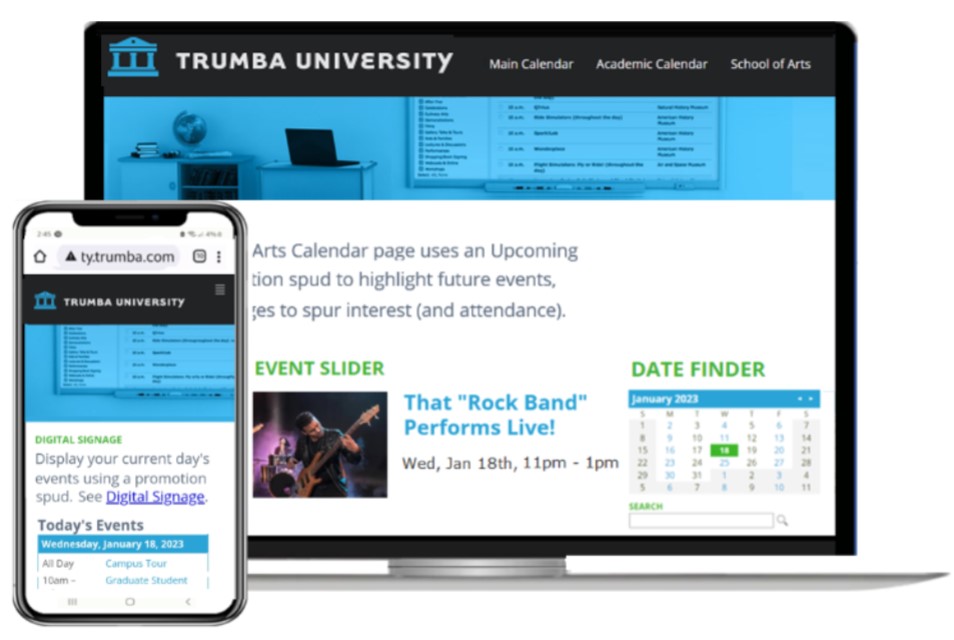
Our university demonstration site simulates a typical presentation of Trumba calendars and sub-calendars. The site is an advanced example of Trumba's Hosted Calendar Website and driven by the interactive Trumba editing environment. It’s a great place to view and try out all of our calendar widgets (what we call "Spuds") as well, like Featured Events Slider and Digital Signage.
See why Higher Education relies on Trumba for more effective calendar publishing, and class & event management.
Visit Trumba University
 |
Healthcare Case Study—How Akron Children’s Hospital uses Trumba to save time while delighting users
SEATTLE—10AM
Thursday, December 15, 2022
Redesigned Classic Month and Multi-Week Views
SEATTLE—8AM
We have released fully redesigned versions of the Classic Month and Classic Multi-Week calendar views that take advantage of modern browser capabilities to improve event layout, provide better accessibility for those with disabilities and add new features such as collapsible weeks and enhanced style settings. Single and multi-day events are now dynamically arranged to make the most use of screen real estate. Events on the view are always ordered chronologically so screen readers will read out event information in a logical order with special handling to communicate events that visually span multiple days. By default, the new views show the first several events on each day (depending on event heights) with an option to expand the week and see all events. This feature can be adjusted or disabled by the publisher through the calendar view settings. All existing Classic Month and Multi-Week views have been automatically replaced with the new views. Here are a few links to live calendars using the new views. |
Wednesday, June 8, 2022
Track In-Person, Online and Hybrid Events
SEATTLE—9AM
Our new location type feature allows tracking separate in-person and online locations for your events. Add a mapped address or select from a list of predefined locations for in-person events, enter a web address or instructions for online events or enter both for hybrid events. On the published calendar, you can now include a filter so visitors can quickly find online vs in-person events. 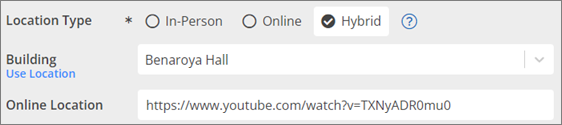
For more information, see Location types and Enable location type. |
Thursday, December 2, 2021
Trumba Hosted Calendar Websites
SEATTLE—1PM
Trumba has released an all-new Hosted Calendar Website feature that replaces the Classic Hosted View. Trumba Hosted Calendar Websites are a first class option for publishing your Trumba calendars with your branding and without the need to embed widgets in your website. The websites are automatically mobile responsive with a new URL structure that is more readable and SEO friendly. The website can be hosted on trumba.com (e.g. cityofgrassvalley.trumba.com) or a custom subdomain (e.g. events.csus.edu). Either way, Trumba takes care of hosting the website on our servers. Existing customers can contact Trumba Support to setup a Trumba Hosted Calendar Website.
|
Monday, October 4, 2021
Clear bounced flags for invalid email addresses on events
SEATTLE—11AM
Invalid email addresses -- those to which Trumba has tried to deliver email, but the email was returned as undeliverable (i.e. bounced) -- appear preceded by two red exclamation marks in distribution and attendees lists on events. You can now clear the bounced flags (i.e. clear the red exclamation marks) directly from the lists in Trumba. After the bounced flags are cleared, Trumba will again attempt to deliver email to those addresses.
For more information, see About invalid email address and bounced flags |