
There are two primary approaches to creating private events in Trumba:
With either approach, you can invite people to attend (and/or register for) private events in the same way as for public events.
You can create a separate calendar for internal use only, where event creators can add and edit events without risk of exposing them to the public before they're ready -- or where you can keep them without ever exposing them to the public.
You can publish this calendar, and then either use the Trumba hosted view or embed the spud code on a webpage.
Publishers or other assigned staff (with appropriate permissions) can move the events to your organization's public-facing calendar after approval, or, they can remain on the private calendar. This can be an effective strategy for managing events that aren't created (and updated) by the same people who approve and publish the events.
You can also use a separate, dedicated calendar to publish certain events to a password protected or a secured website, accessible to only a specific internal or external audience.
In either case, you control access and permission levels for the staff with whom you've shared the separate calendar, as appropriate for your organization's workflow.
Tip If your workflow requires approval for submitted events, you set up an event submission form, and then an internal submitted-event holding calendar is created automatically.
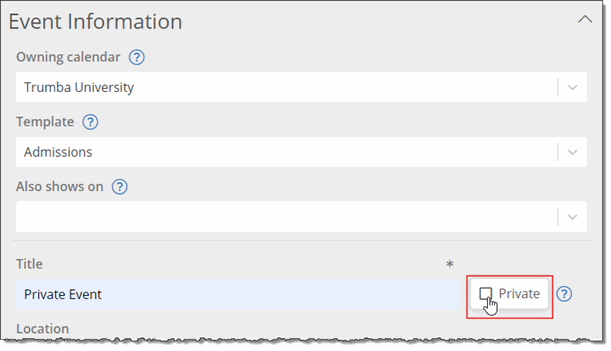
Another approach is to tag events on a public calendar as Private when adding them to Trumba. Events tagged as Private are hidden, visible and editable only by the Publisher account that owns the calendar (and not by the Publisher or Editor accounts who otherwise have access to the calendar). Events marked as Private don't appear on the published calendar, nor in calendar emails.
Tip If you have a single Publisher account (and thus are the only person working on your events), you may find it easier to use the Private flag within your public-facing calendar. If you have events that are created or managed by other people, however, the best practice is to add the events to a separate calendar. Otherwise, when you tag events as Private, other staff won’t be able to view or edit the events.
In the Trumba editing environment, for the Publisher who is the calendar owner, events tagged as Private appear with a lock symbol, such as shown in the screenshot below. Other account holders won't see the event.

Calendar owners see a lock symbol next to events they mark as Private.
Notes
